

Filtered before it reaches Thailand
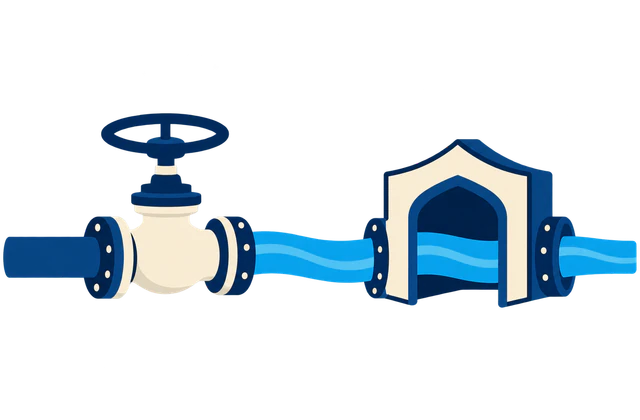
Traffic from abroad passes through filtering at the international edge first. Attack traffic is dropped before it enters the country, so it does not compete for the connection your server in Thailand relies on.
Every DriteStudio service comes with full DDoS protection, covering L3/L4 (network and transport layers) and L7 (application layer). Traffic from abroad is filtered before it reaches our servers in Thailand. There is nothing to buy and nothing to switch on.
Traffic from abroad passes through filtering at the international edge first. Attack traffic is dropped before it enters the country, so it does not compete for the connection your server in Thailand relies on.
Requests from real users continue to your server, so your website, game or application can keep answering people while an attack is under way.
The protection runs on our network. There is no software to install, nothing to enable in the portal and no package to buy.
Attacks at this layer do not care what your server runs. They send huge numbers of packets, or deliberately malformed ones, to fill the connection or overwhelm the systems that accept new connections.
Many hijacked machines in a botnet send packets at the target at the same time. The combined volume is more than the connection can carry, so real users cannot get through even though the server itself is still running.
What the protection doesFlood traffic from abroad is dropped at the international edge, before it can use up the bandwidth your server depends on.
TCP connections are opened and never completed, packets arrive that belong to no connection, or packets are split into fragments that cannot be put back together. Servers, firewalls and operating systems reserve memory for things that never arrive until they cannot accept new connections.
What the protection doesHalf-open connections, packets that belong to no connection and malformed fragments are filtered out, so your machine keeps its resources for real connections.
The attacker forges the victim's IP address as the source and sends short requests to public servers that reply with far more data than they were asked for. Every reply then lands on the victim, from many servers around the world.
What the protection doesLarge reply floods from these services arriving from abroad are filtered out before they reach Thailand.
Attacks at this layer use far less traffic but behave like real users. Each request looks valid, yet together they keep the web server, database or application so busy that it cannot answer real visitors in time.
Bots send large numbers of requests to pages that query a database or do heavy work, such as search, the shopping cart or the login page. Over HTTPS the server also spends effort decrypting every request.
What the protection doesRequests whose pattern differs from normal visitors are limited or dropped, so the server keeps its resources for real visitors.
The attacker opens many connections and sends data as slowly as possible. The web server holds each connection open until it has no room for new visitors, while the bandwidth used is so small it barely shows on a graph.
What the protection doesConnections that stay open without completing a request are cut, so the web server keeps room for real users.
Automated scripts try logins with leaked passwords, copy an entire site or submit spam through forms. They slow the site down and add load with no real user behind them.
What the protection doesAutomated traffic whose requests differ from normal users is limited at the same layer. Strong passwords and 2FA remain the main line of defence for user accounts.
DDoS filtering stops traffic meant to take a service down. It does not close vulnerabilities on your machine, and that part stays with whoever runs the server.
Install security patches for the operating system, web server, CMS and plugins regularly. An unpatched vulnerability can be exploited with only a handful of requests.
Turn off services you do not need, and use the server's own firewall to limit management ports such as SSH or Remote Desktop to the IP addresses that need them.
Use long passwords you do not reuse elsewhere, turn on a passkey or 2FA for your customer portal account, and use SSH keys instead of passwords on the server.
Set each API key to work only from IP addresses you choose, so a leaked key cannot be used from anywhere else.
If a service is unusually slow or unreachable, open a support ticket with the affected service, when the problem started and what you are seeing.
Add IPv4 addresses, a dedicated network port or international bandwidth to any of our services. Each add-on costs the same on every service.
No. DDoS protection is included with every service at no extra cost, and there is no separate package to buy.
No. Filtering runs on the network before traffic reaches your server. There is no software to install and nothing to enable in the portal.
VPS, VPS Forex, web hosting, dedicated servers, colocation and game servers. Every service that runs on our network gets this protection.
No system stops every attack. Filtering removes traffic meant to take a service down before it reaches your server, but application vulnerabilities, leaked passwords and requests that convincingly imitate real users still need care on the server side.
Open a support ticket in the customer portal or reach the team from the contact page. Tell us the affected service, when the problem started and what you see, for example a slow site or failed connections.
Questions about the protection, or think you are under attack? Talk to the team.
Choose whether to allow analytics cookies. Turning them off does not affect how the site works.
Needed for the site to work and to remember choices you make, such as your sign-in, language, theme and this cookie choice, so they cannot be turned off.
lang (chosen language) · Sign-in, theme and cookie choice (stored in your browser)
These cookies help us understand how visitors interact with our website by collecting and reporting information anonymously.
_ga (Google Analytics) · _ga_* (Google Analytics)
Add it to your home screen to open it in one tap, like an app.