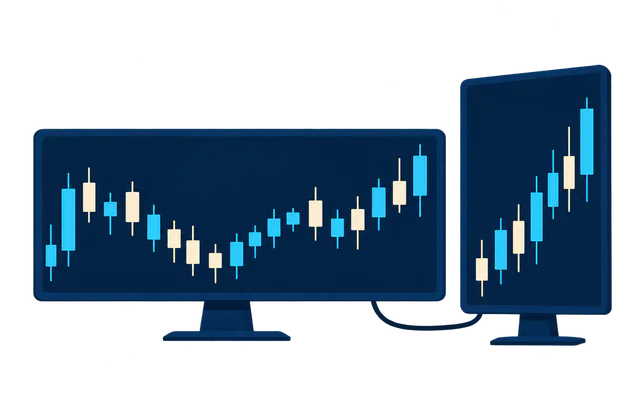



A Windows desktop over RDP
Choose Windows Server when you order, then connect with Remote Desktop from a computer, tablet or phone. It works like a PC that never switches off.
Windows Server on a full XCP-ng virtual machine with Intel Xeon Gold 5220R processors. Keep MetaTrader 4/5 and your Expert Advisors open 24/7 without leaving a computer on at home.
Choose Windows Server when you order, then connect with Remote Desktop from a computer, tablet or phone. It works like a PC that never switches off.
Your EAs and trading bots keep working while your own computer is off. The network uptime target is 99.9% a month under our Terms of Service.
Download the MetaTrader terminal from your broker and install it on Windows Server just as you would on a PC. You are Administrator, so you add EAs, indicators and scripts yourself.
The vCPU, RAM and NVMe storage of the plan you choose, on Intel Xeon Gold 5220R hosts with DDR4 memory. Watch live CPU and memory use in the portal.
Every VPS is protected against DDoS at L3/L4 and L7 at no extra cost. The Administrator password and the Windows firewall are yours to set.
Run several terminals side by side, each installed in its own folder per account or broker. How many you can run depends on the plan's vCPU and RAM.
An EA only works while its terminal is open. On a VPS the terminal stays open even when your home loses power or internet, or your computer restarts for updates.
Choose the region when you order. The distance to your broker's trade server affects latency; once the terminal is installed, check the ping to the broker's server from inside it.
Run EAs across several currency pairs and timeframes, in one terminal or several. If CPU or RAM fills up, upgrade from the portal and pay only the difference.
Turn on auto-renewal and the rent is deducted from your account balance on the due date, so you do not have to remember it. If the balance is short, renewal fails, so top up ahead of time.
Windows Server over Remote Desktop: watch charts, manage orders and tune EAs from any device with a Remote Desktop app.
If RDP will not connect, for example because the Windows firewall blocks it or the machine is stuck on an update screen, open the console from the portal to see the real screen and fix it yourself.
A Forex VPS is a full virtual machine on XCP-ng, an open-source virtualization platform that uses Xen, a bare-metal hypervisor. Windows Server boots its own kernel and behaves like a Windows computer of its own.
Install terminals, EAs, indicators and a VPN, and manage Windows Update and the firewall yourself, without the limits of web hosting.
The browser console shows the virtual machine's screen straight from the hypervisor layer, not through Windows networking, so you can get in and fix things even when RDP is blocked.
Save the disk before a Windows update or an EA change, and roll back if the result is not what you wanted. A rollback returns files and settings to the moment of the snapshot. There is a free slot, and snapshots beyond it are charged once when created.
If Windows hangs, restart or power off the machine from the portal without waiting for staff. After a restart, connect over RDP to check that your terminals and EAs are running again.
Open-source software (GPLv2) that packages the Xen hypervisor ready to use. It began in 2018 as the continuation of Citrix XenServer, is led by Vates, and joined the Xen Project under the Linux Foundation in 2020.
Forex VPS hosts are the same as for every VPS: Intel Xeon Gold 5220R processors, DDR4 memory and U.2 NVMe SSDs.
2nd Gen Xeon Scalable (Cascade Lake) with 24 cores and 48 threads each, a 2.20 GHz base clock, up to 4.00 GHz turbo and 35.75 MB of cache. Your plan's vCPUs run on these threads but are not physical cores reserved for you.
The processor supports six channels of DDR4-2667 memory. Every open terminal, chart and EA uses your VPS's RAM, so more terminals need more RAM.
2.5-inch server SSDs that connect over PCIe with NVMe. Windows, your terminals, price history and EA logs are stored on them.
Examples of brokers with MetaTrader terminals for Windows. Download the terminal from your broker's website and log in with your own trading account.
Run Expert Advisors without depending on a computer at home, and size the machine to the number of EAs and terminals you keep open.
Keep the terminal on a machine that is always online and pick the region closer to your broker's server. Real latency depends on the distance and network route to the broker.
A signal terminal has to stay online for followers to receive every trade. A VPS removes the dependence on power and internet at home.
Open several terminals for several accounts or brokers on one machine, and upgrade the plan as the number of accounts grows.
Use this as a starting point: real use depends on how many terminals, charts and EAs you keep open. Watch the live CPU and RAM graphs in the portal and adjust.
The order page shows the minimum spec of each Windows Server version and will not let you pick a plan below it. Choose a plan with RAM to spare beyond Windows itself for your terminals.
Start with a small plan that meets the Windows Server minimum, and watch real use for a while before deciding to upgrade.
Add RAM for each terminal you run at the same time, and add vCPUs when EAs calculate heavily or you keep many charts open.
MT5's Strategy Tester can use several vCPUs at once and stores price history on disk, so choose more vCPUs and NVMe space, or keep testing on a separate machine from live trading.
Rent by the day to test your EA on a VPS first. When you are happy, renew for a longer period from the VPS details page.
Every plan runs on U.2 NVMe SSDs and Xeon Gold 5220R processors.
Showing 6 of 14 plans
Plan prices can't be shown right now. Our team will help you pick the right plan.
Ask about plansAdd IPv4 addresses, a dedicated network port or international bandwidth to any of our services. Each add-on costs the same on every service.
A terminal on the VPS connects to your broker's trade server over the internet, just as on a PC. The difference is that the machine stays online in a data centre all the time.
Choose the region when you order. Latency to your broker depends on where the broker's trade server is. The Windows Server versions on offer can differ by region; the order page shows the actual list once you choose one.
Every machine gets one public IPv4 address for RDP and unlimited bandwidth within Thailand. Extra IP addresses cost ฿150 each per month.
Attack traffic is filtered before it reaches your machine, at L3/L4 and L7, with nothing to set up, and traffic from abroad is filtered before it reaches Thailand.
The order page requires a password of at least 12 characters with upper and lower case letters, a number and a symbol. Do not reuse your trading account password, and limit which IPs can reach RDP with the Windows firewall.
You can do all of these basics yourself in the VPS details page, without opening a ticket and waiting.
Watch CPU, memory, disk and network traffic while the machine runs, so you know how much your open terminals use before adding another EA.
See when the machine was powered on or off, restarted, reinstalled or upgraded in the last 7 days. It helps you find out why an EA stopped for a while.
Check the expiry date, renew for any period the plan sells, and switch auto-renewal on or off from the same page. Before you confirm, it shows the date the machine will run until.
Wipe the disk and install Windows Server again when you want a clean start. Everything on the machine is erased, so back up your EA and settings files first.
Create keys to control the VPS from your own scripts, limit which IPs may use them, and revoke them at any time.
Top up with PromptPay, TrueMoney, card or crypto. This balance pays for the rent and for auto-renewal.
Pick a region that offers the Windows Server version you need, then a plan and a daily, weekly, monthly or yearly billing period.
Set the machine name and password and confirm the order. The price is deducted from your balance and the portal shows the installation progress.
Use the IP address and username shown in the portal with the password you set. Install your broker's MT4/MT5, log in to your trading account and attach your EA to a chart.
Switch it on in the VPS details page. The rent is deducted from your balance on the due date, so the machine does not expire while your EA is trading, as long as the balance covers it.
If your work outgrows one virtual machine, or you want the machine for other jobs too, one of these may suit you better.
The same plans, prices and hardware, with guidance on Linux, Docker and choosing a plan for web apps and databases.
Fund managers running many terminals may need a whole machine. Rent an entire physical server, choose hardware from the price list and order through sales; a managed option is available with scope and price agreed with sales.
Tell us how many accounts, terminals and EAs you plan to run, and the team will suggest a machine size.
A Forex VPS is a VPS running Windows Server that keeps your trading platform and Expert Advisors open 24/7 on a machine in a data centre. Your EAs do not stop because your home computer is off, the power fails or the internet drops.
The plans, prices and hardware are the same, and you order from the same VPS rental page. Traders choose Windows Server and use the machine for MetaTrader and EAs. For websites or apps, see the VPS page.
Trading software that runs on Windows installs, such as MetaTrader 4, MetaTrader 5, cTrader and NinjaTrader. You install your broker's terminal yourself with Administrator access.
We do not set a limit on EAs. How many you can run depends on the plan's vCPU and RAM and on how heavy each EA is. Start with a plan above the Windows Server minimum, watch the live usage graphs in the portal, and upgrade when you get close to the limit.
It depends on where your broker's trade server is and whether you chose Thailand or Singapore, so there is no single figure for every broker. Once the terminal is installed, check the ping to your broker's server from inside it.
The operating systems and versions on offer can differ by region. After you choose a region, the order page shows the Windows Server versions actually available, with each one's minimum spec.
Yes. Connect with a Remote Desktop app on Windows, Mac, iOS or Android, and if RDP does not work, open the browser console from the portal instead.
The network uptime target is 99.9% a month under our Terms of Service, which exclude maintenance announced in advance. You can follow service health on the status page. After a restart, connect over RDP to check that your terminals and EAs are running again.
Each VPS is a separate virtual machine with its own kernel, memory and disk, and comes with free DDoS protection. Inside the machine you look after the Administrator password, Windows updates and the firewall. Keep copies of your EA files elsewhere too, because deleting a VPS deletes its snapshots.
Yes. Upgrade to a larger plan from the portal; the same machine, data and settings stay in place, and you pay only the difference for the days left in the billing period. Upgrade while the market is closed or no orders are open, in case the machine needs to restart.
Join 5,000+ customers who trust DriteStudio to manage their infrastructure
Choose whether to allow analytics cookies. Turning them off does not affect how the site works.
Needed for the site to work and to remember choices you make, such as your sign-in, language, theme and this cookie choice, so they cannot be turned off.
lang (chosen language) · Sign-in, theme and cookie choice (stored in your browser)
These cookies help us understand how visitors interact with our website by collecting and reporting information anonymously.
_ga (Google Analytics) · _ga_* (Google Analytics)
Add it to your home screen to open it in one tap, like an app.