SSH เชื่อมต่อไม่ได้? วิธีแก้ปัญหา SSH บน Linux แบบ Step-by-Step
แก้ปัญหา SSH เชื่อมต่อไม่ได้ สาเหตุจาก firewall port sshd และวิธีแก้ไขทีละขั้นตอน
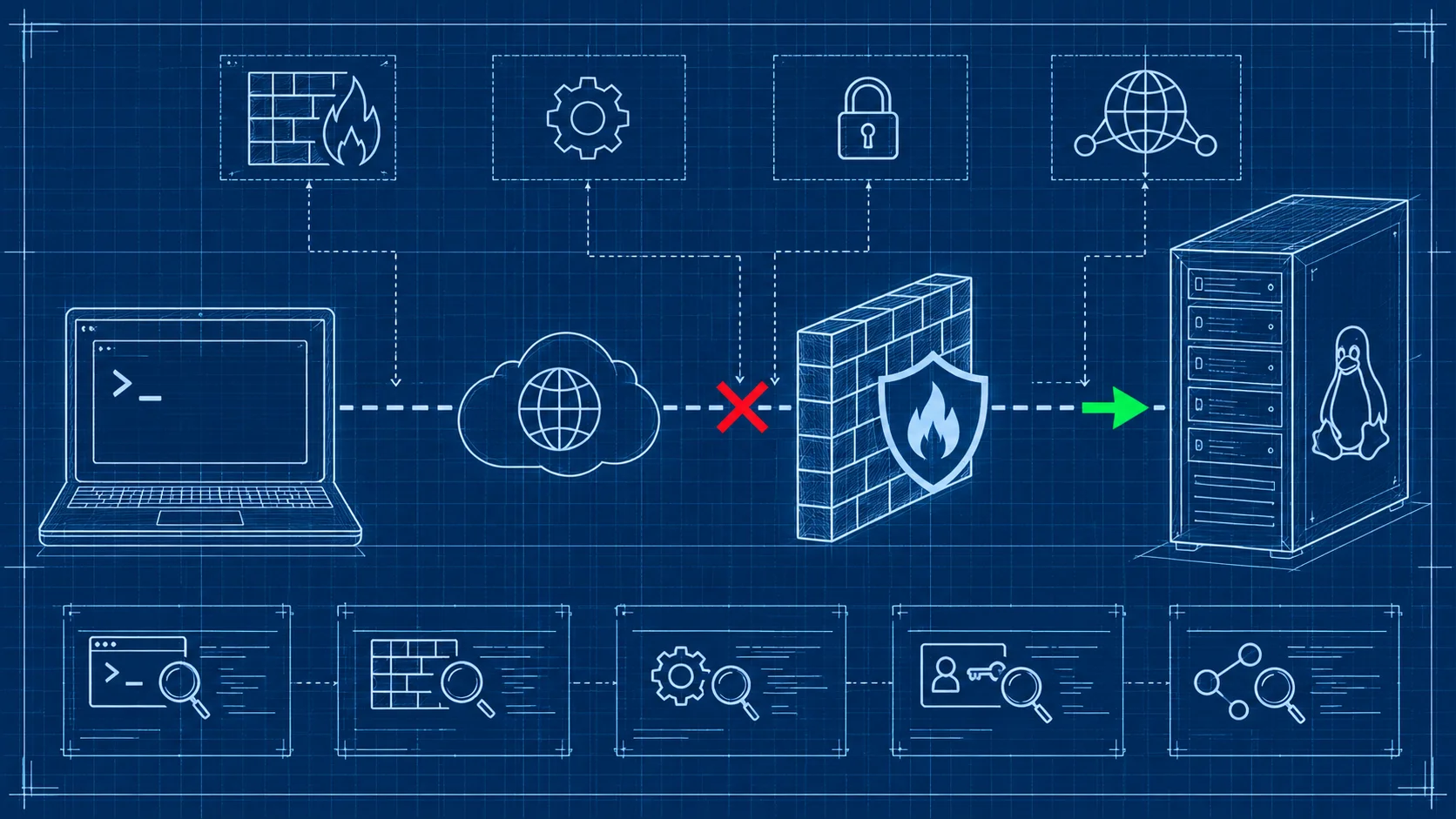
แก้ปัญหา SSH เชื่อมต่อ Remote Server ไม่ได้ คู่มือฉบับสมบูรณ์
การเชื่อมต่อ SSH ไม่ได้เป็นปัญหาที่พบบ่อยที่สุดของผู้ดูแล Linux server สาเหตุหลักมาจาก firewall บล็อก port 22, SSH service ไม่ทำงาน, authentication ไม่ผ่าน หรือปัญหาฝั่งเครือข่าย บทความนี้จะพาไล่ดูสาเหตุที่พบบ่อยพร้อมวิธีแก้ไขทีละขั้นตอน
ตรวจสอบสาเหตุเบื้องต้น
Firewall บล็อกอยู่
สาเหตุอันดับ 1 ที่ SSH เชื่อมต่อไม่ได้คือ firewall บล็อก port อยู่ ลองเช็คด้วยคำสั่งตาม firewall ที่ใช้
ufw status
iptables -L -n | grep 22
firewall-cmd --list-ports
ถ้า port 22 ไม่ได้ถูกเปิด ต้องเพิ่ม rule
ufw allow 22/tcpSSH ใช้ Port อื่น
บาง server เปลี่ยน SSH port จาก 22 ไปเป็น port อื่นเพื่อความปลอดภัย ตรวจสอบได้จาก config
grep -i port /etc/ssh/sshd_configแล้วเชื่อมต่อด้วย port ที่ถูกต้อง
ssh -p 2222 user@serversshd ไม่ทำงาน
ถ้า SSH service ไม่ได้รันอยู่ก็เชื่อมต่อไม่ได้
systemctl status sshdถ้าสถานะเป็น inactive หรือ failed ให้ start ขึ้นมาใหม่
systemctl start sshd
systemctl enable sshd
ปัญหา Permission Denied
ตรวจสอบ Authentication
ถ้าเชื่อมต่อได้แต่เจอ permission denied อาจเป็นเพราะรหัสผ่านผิด user ถูกล็อค หรือ SSH key ไม่ถูกต้อง สำหรับ key-based authentication ให้เช็ค permission
chmod 700 ~/.ssh
chmod 600 ~/.ssh/id_rsa
chmod 644 ~/.ssh/authorized_keys
Root Login ถูกปิด
หลาย distro ปิด root login ผ่าน SSH เป็น default ตรวจสอบได้ใน sshd_config
grep PermitRootLogin /etc/ssh/sshd_configถ้าเป็น no ต้อง login ด้วย user ปกติแล้ว su หรือใช้คำสั่งยกระดับสิทธิ์แทน
ปัญหาฝั่ง Network
เช็คว่า Server เปิดอยู่ไหม
ลอง ping ดูก่อนว่า server ตอบอยู่ไหม ถ้า ping ไม่ได้ ปัญหาอาจอยู่ที่ network ไม่ใช่ SSH
DNS Resolution
ถ้าเชื่อมต่อด้วย hostname ไม่ได้ ลองใช้ IP address ตรง ๆ เพื่อแยกว่าปัญหาอยู่ที่ DNS หรือไม่
Connection Timeout
ถ้าเชื่อมต่อแล้ว hang ค้าง อาจเป็นเพราะ firewall ข้างทาง drop packet แบบเงียบ ใช้ verbose mode เพื่อดู debug info
ssh -vvv user@serverflag -vvv แสดงรายละเอียดทุกขั้นตอนของการเชื่อมต่อ
ป้องกันปัญหา SSH ในอนาคต
ควรตั้งค่าพื้นฐานเหล่านี้ตั้งแต่แรก
- ใช้ key-based authentication แทน password
- เปลี่ยน port จาก 22 เป็น port อื่น
- ตั้ง fail2ban เพื่อป้องกัน brute force
- เปิด firewall เฉพาะ IP ที่จำเป็น
- จำกัด user ที่สามารถ SSH ได้ด้วย AllowUsers
คำถามที่พบบ่อย
SSH key กับ password อันไหนปลอดภัยกว่า?
SSH key ปลอดภัยกว่ามาก เพราะไม่สามารถ brute force ได้เหมือน password และไม่มีการส่ง password ผ่านเครือข่าย แนะนำให้ปิด password authentication แล้วใช้ key-based เท่านั้น
เปลี่ยน SSH port จาก 22 ช่วยเรื่องความปลอดภัยจริงไหม?
ช่วยลด brute force attack จาก bot ที่สแกน port 22 อัตโนมัติ แต่ไม่ใช่มาตรการป้องกันหลัก ยังคงต้องใช้ SSH key และ fail2ban ควบคู่กัน
Connection refused กับ Connection timeout ต่างกันอย่างไร?
Connection refused หมายความว่าเครื่องปลายทางปฏิเสธการเชื่อมต่อ อาจเพราะ sshd ไม่ทำงานหรือ port ผิด ส่วน Connection timeout หมายความว่าไม่ได้รับการตอบกลับเลย อาจเพราะ firewall drop packet หรือ server offline
ลืม SSH key passphrase ทำอย่างไร?
ไม่สามารถกู้คืน passphrase ได้ ต้องสร้าง SSH key คู่ใหม่แล้วเพิ่ม public key ใหม่เข้าไปใน authorized_keys ของเซิร์ฟเวอร์
ใช้ SSH ได้ง่ายกับ VPS ของ DriteStudio
ปัญหา SSH เชื่อมต่อไม่ได้ ให้ไล่เช็คตามลำดับ firewall, port, sshd service, authentication แล้วก็ network สำหรับผู้ที่ต้องการ server ที่ตั้งค่า SSH มาให้พร้อมใช้ VPS ของ DriteStudio มี SSH pre-configured ทั้ง key management, firewall rules และ fail2ban พร้อมระบบรักษาความปลอดภัยที่ครอบคลุม ติดต่อ DriteStudio วันนี้เพื่อรับเซิร์ฟเวอร์ที่พร้อมใช้งานทันที
DriteStudio
Digital infrastructure provider for VPS, web hosting, and colocation in Thailand
Operated by Craft Intertech (Thailand) Co., Ltd.