Firewall Linux เบื้องต้น วิธีตั้งค่า iptables UFW firewalld ป้องกันเซิร์ฟเวอร์
คู่มือตั้งค่า Firewall บน Linux เบื้องต้น เปรียบเทียบ iptables UFW firewalld พร้อมหลักการ default deny และตัวอย่างคำสั่งที่ใช้ได้จริง ป้องกันเซิร์ฟเวอร์ให้ปลอดภัย
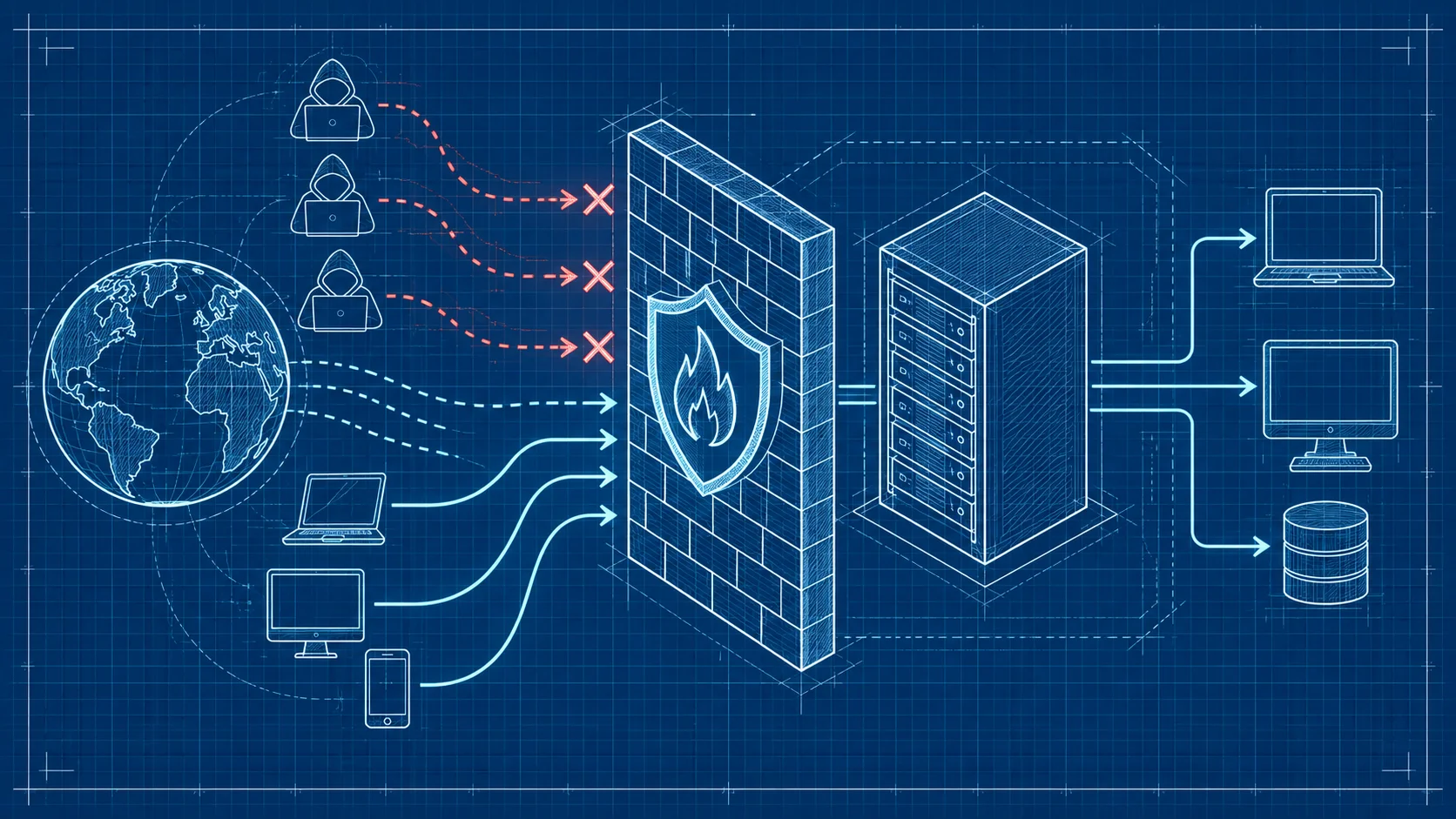
เซิร์ฟเวอร์ Linux ที่เชื่อมต่ออินเทอร์เน็ตโดยไม่มี Firewall ก็เหมือนบ้านที่เปิดประตูทิ้งไว้ทั้งวันทั้งคืน บทความนี้จะพาคุณตั้งค่า Firewall บน Linux ตั้งแต่เบื้องต้น พร้อมคำสั่งจริงของ iptables, UFW และ firewalld ให้ copy ไปใช้ได้ทันที
ทำไม Firewall ถึงจำเป็นสำหรับ Linux Server
เซิร์ฟเวอร์ที่ออนไลน์อยู่จะถูกสแกนและพยายามเจาะระบบตลอด 24 ชั่วโมง โดยเฉพาะ port ยอดนิยมอย่าง SSH (22), HTTP (80) และ HTTPS (443) Firewall ทำหน้าที่เป็นด่านกรองแรกที่ตัดสินใจว่า traffic ไหนผ่านได้ traffic ไหนต้องบล็อก
ตั้งค่า Firewall ด้วย iptables
หลักการ Default Deny
ปิดทุกอย่างก่อน แล้วค่อยเปิดเฉพาะที่จำเป็น:
# อนุญาต SSH ก่อน (สำคัญมาก! ทำก่อนตั้ง DROP)
sudo iptables -A INPUT -p tcp --dport 22 -j ACCEPT

# อนุญาต established connections
sudo iptables -A INPUT -m conntrack --ctstate ESTABLISHED,RELATED -j ACCEPT

# อนุญาต loopback
sudo iptables -A INPUT -i lo -j ACCEPT

# อนุญาต HTTP และ HTTPS
sudo iptables -A INPUT -p tcp --dport 80 -j ACCEPT
sudo iptables -A INPUT -p tcp --dport 443 -j ACCEPT

# ตั้ง default policy เป็น DROP
sudo iptables -P INPUT DROP
sudo iptables -P FORWARD DROP
sudo iptables -P OUTPUT ACCEPT
ตัวอย่าง Rule เพิ่มเติม
# อนุญาต SSH เฉพาะจาก IP ที่กำหนด
sudo iptables -A INPUT -p tcp -s 203.0.113.0/24 --dport 22 -j ACCEPT

# อนุญาต ping (ICMP)
sudo iptables -A INPUT -p icmp --icmp-type echo-request -j ACCEPT

# บล็อก IP ที่โจมตี
sudo iptables -A INPUT -s 10.10.10.5 -j DROP

# จำกัด SSH connection rate (ป้องกัน brute force)
sudo iptables -A INPUT -p tcp --dport 22 -m connlimit --connlimit-above 3 -j DROP

# ดู rule ทั้งหมดพร้อมหมายเลข
sudo iptables -L -n -v --line-numbers

# ลบ rule ตามหมายเลข
sudo iptables -D INPUT 3
บันทึก Rule ให้คงอยู่หลัง Reboot
# บันทึก rule
sudo iptables-save > /etc/iptables/rules.v4

# ติดตั้ง iptables-persistent (Debian/Ubuntu)
sudo apt install iptables-persistent
sudo netfilter-persistent save
ตั้งค่า Firewall ด้วย UFW (แนะนำสำหรับมือใหม่)
UFW เป็น frontend ของ iptables ที่ใช้งานง่ายมาก เหมาะกับ Ubuntu/Debian:
# เปิดใช้งาน UFW
sudo ufw enable

# อนุญาต SSH (ทำก่อน enable เสมอ!)
sudo ufw allow 22/tcp

# อนุญาต HTTP และ HTTPS
sudo ufw allow 80/tcp
sudo ufw allow 443/tcp

# อนุญาตเฉพาะ IP หรือ subnet
sudo ufw allow from 192.168.1.0/24 to any port 3306

# บล็อก port
sudo ufw deny 3389/tcp

# ตั้ง default policy
sudo ufw default deny incoming
sudo ufw default allow outgoing

# ดูสถานะและ rule ทั้งหมด
sudo ufw status verbose

# ลบ rule
sudo ufw delete allow 80/tcp
ถ้าคุณใช้ VPS จาก DriteStudio ที่ติดตั้ง Ubuntu ก็สามารถเริ่มใช้ UFW ได้ทันที
ตั้งค่า Firewall ด้วย firewalld (CentOS/RHEL)
firewalld ใช้แนวคิด zone ในการจัดการ rule:
# เปิดใช้งาน firewalld
sudo systemctl enable --now firewalld

# ดูสถานะ
sudo firewall-cmd --state

# อนุญาต service (SSH, HTTP, HTTPS)
sudo firewall-cmd --permanent --add-service=ssh
sudo firewall-cmd --permanent --add-service=http
sudo firewall-cmd --permanent --add-service=https

# อนุญาต port เฉพาะ
sudo firewall-cmd --permanent --add-port=8080/tcp

# อนุญาตเฉพาะ IP
sudo firewall-cmd --permanent --add-rich-rule='rule family=ipv4 source address=192.168.1.0/24 port port=3306 protocol=tcp accept'

# Reload เพื่อ apply rule
sudo firewall-cmd --reload

# ดู rule ทั้งหมด
sudo firewall-cmd --list-all

# ดู zone ที่ใช้งาน
sudo firewall-cmd --get-active-zones
ข้อผิดพลาดที่พบบ่อยในการตั้ง Firewall
ล็อคตัวเองออกจากเครื่อง
ข้อผิดพลาดอันดับหนึ่ง คือตั้ง rule DROP ก่อนอนุญาต SSH ต้องใช้ console access จากผู้ให้บริการเพื่อแก้ไข
ลืมบันทึก rule หลังตั้งค่า
rule ของ iptables จะหายไปหลัง reboot ถ้าไม่ได้บันทึก
เปิด port มากเกินความจำเป็น
ทุก port ที่เปิดคือช่องทางเสี่ยง ควร audit rule เป็นประจำ
สำหรับผู้ใช้ Dedicated Server จาก DriteStudio หากเกิดปัญหาล็อคตัวเอง ทีมซัพพอร์ตพร้อมช่วยเข้าถึงเครื่องผ่าน console ได้ตลอด 24 ชั่วโมง
แนวทางเพิ่มความปลอดภัยนอกเหนือจาก Firewall
Firewall เป็นแค่ชั้นแรก ยังควรเปลี่ยน SSH port จาก 22 เป็น port อื่น ใช้ key-based authentication แทน password ติดตั้ง fail2ban เพื่อบล็อก IP ที่ brute force และอัปเดตระบบเป็นประจำ
หากต้องการความปลอดภัยแบบครบวงจร บริการ Security จาก DriteStudio ครอบคลุมทั้ง firewall management, intrusion detection และ security monitoring
คำถามที่พบบ่อยเกี่ยวกับ Firewall Linux
iptables กับ UFW ต่างกันอย่างไร
UFW เป็น frontend ของ iptables ที่ทำให้ใช้งานง่ายขึ้น เบื้องหลังยังคงใช้ iptables ถ้าต้องการความง่ายเลือก UFW ถ้าต้องการควบคุมละเอียดเลือก iptables
ตั้ง Firewall แล้วเว็บเข้าไม่ได้ต้องทำอย่างไร
ตรวจสอบว่าเปิด port 80 และ 443 หรือยัง:
sudo iptables -L -n | grep -E "80|443"
# หรือ
sudo ufw status | grep -E "80|443"
ควรใช้ firewalld หรือ iptables ดี
ถ้าใช้ CentOS/RHEL แนะนำ firewalld ถ้าใช้ Ubuntu/Debian แนะนำ UFW สำหรับความง่าย หรือ iptables สำหรับความยืดหยุ่นสูง
สรุป วิธีตั้ง Firewall Linux ให้ปลอดภัย
Firewall เป็นสิ่งจำเป็นอันดับแรกสำหรับทุก Linux server จำหลักการ default deny ไว้ให้ดี ปิดทุกอย่างก่อนแล้วค่อยเปิดเฉพาะที่จำเป็น
หากคุณกำลังมองหา Linux server ที่พร้อมใช้งาน DriteStudio ให้บริการทั้ง VPS, Dedicated Server และ Hosting พร้อมบริการ Security ครบวงจร ช่วยให้เซิร์ฟเวอร์ของคุณปลอดภัยตั้งแต่วันแรก
DriteStudio
Digital infrastructure provider for VPS, web hosting, and colocation in Thailand
Operated by Craft Intertech (Thailand) Co., Ltd.