วิธีเปลี่ยน Mirror Update Linux ให้เร็วขึ้น ครบทุก Distro ทั้ง Ubuntu, CentOS, Debian
คู่มือเปลี่ยน mirror update Linux แบบละเอียด ทั้ง Ubuntu Debian CentOS AlmaLinux พร้อมวิธีเลือก mirror ไทยที่เร็วที่สุดและปลอดภัย
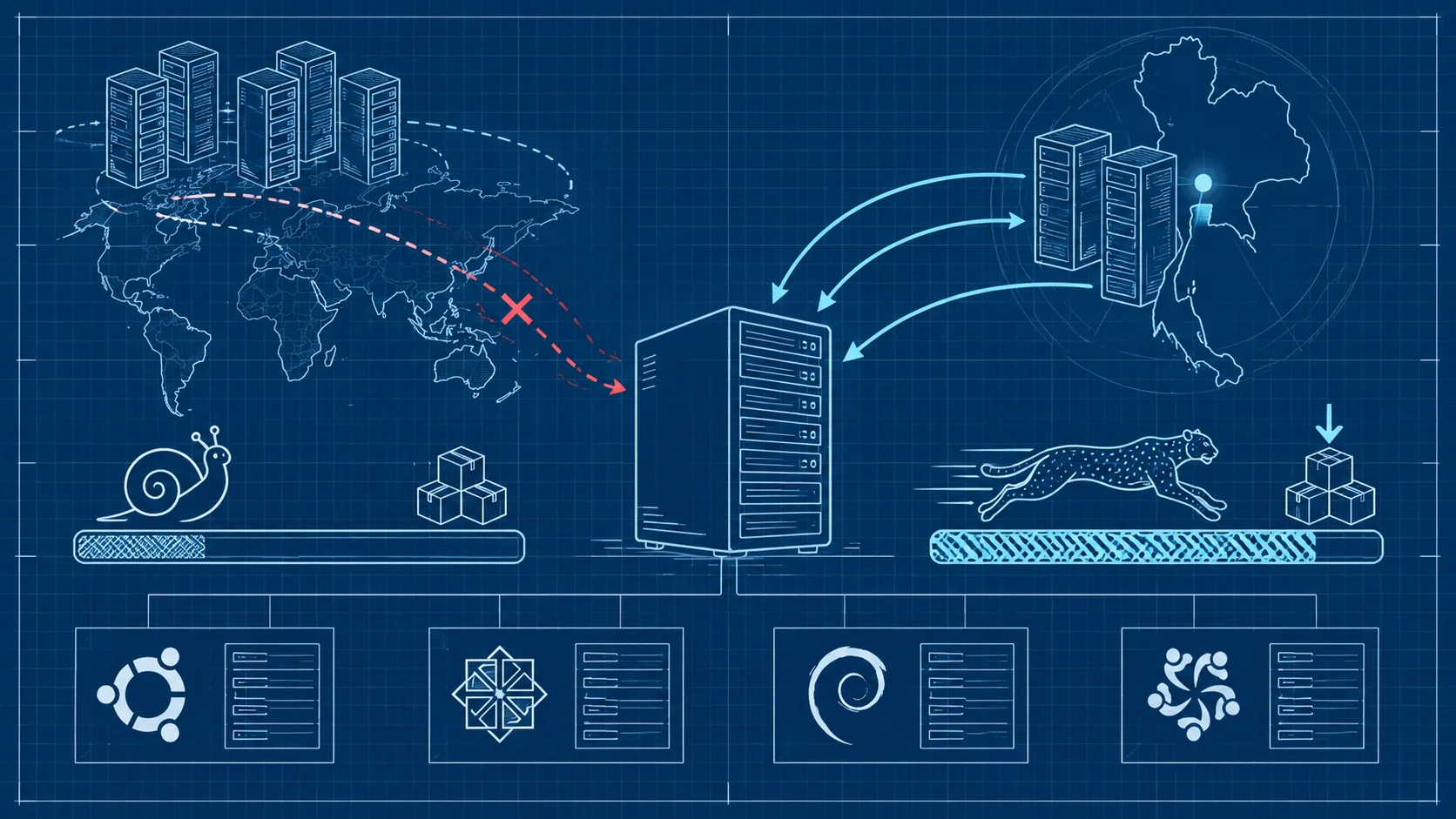
การเปลี่ยน mirror update ใน Linux คือวิธีง่ายที่สุดในการเพิ่มความเร็วการดาวน์โหลดแพ็กเกจบนเซิร์ฟเวอร์ โดยเปลี่ยนจาก mirror ที่อยู่ไกลไปใช้ mirror ที่ใกล้กับตำแหน่งเซิร์ฟเวอร์มากที่สุด ช่วยลด latency และเพิ่มความเร็วในการ update ได้หลายเท่า
ทำไม Linux Update ถึงช้า
เคยสังเกตไหมว่าบางทีรัน apt update หรือ yum update แล้วช้ามาก download แต่ละ package ใช้เวลานาน สาเหตุหลักมักเป็นเพราะ mirror ที่ระบบใช้อยู่ตั้งอยู่ไกลจากเซิร์ฟเวอร์ ทำให้ latency สูงและ bandwidth ต่ำ
การเปลี่ยนไปใช้ mirror ที่ใกล้กว่า โดยเฉพาะ mirror ในประเทศไทย จะช่วยเพิ่มความเร็ว download ได้หลายเท่า ลด latency และได้รับ security patch เร็วขึ้น
เปลี่ยน Mirror สำหรับ Ubuntu
Backup ไฟล์ sources.list ก่อนเสมอ
sudo cp /etc/apt/sources.list /etc/apt/sources.list.backupแก้ไข sources.list ด้วย sed
เปลี่ยนจาก mirror เริ่มต้นเป็น mirror ไทย:
sudo sed -i 's|archive.ubuntu.com|th.archive.ubuntu.com|g' /etc/apt/sources.listหรือเปลี่ยนเป็น mirror ของ NECTEC:
sudo sed -i 's|archive.ubuntu.com|mirror.nectec.or.th/ubuntu|g' /etc/apt/sources.listอัปเดต package list
sudo apt updateตัวอย่างเนื้อหา sources.list สำหรับ Ubuntu 24.04
deb http://th.archive.ubuntu.com/ubuntu noble main restricted universe multiverse
deb http://th.archive.ubuntu.com/ubuntu noble-updates main restricted universe multiverse
deb http://th.archive.ubuntu.com/ubuntu noble-security main restricted universe multiverse
เปลี่ยน Mirror สำหรับ Debian
Backup ไฟล์ก่อน
sudo cp /etc/apt/sources.list /etc/apt/sources.list.backupแก้ไข sources.list
sudo sed -i 's|deb.debian.org|mirror.nectec.or.th/debian|g' /etc/apt/sources.listตัวอย่างเนื้อหา sources.list สำหรับ Debian 12
deb http://mirror.nectec.or.th/debian bookworm main contrib non-free non-free-firmware
deb http://mirror.nectec.or.th/debian bookworm-updates main contrib non-free non-free-firmware
deb http://security.debian.org/debian-security bookworm-security main contrib non-free non-free-firmware
จากนั้นอัปเดต:
sudo apt updateเปลี่ยน Mirror สำหรับ CentOS/RHEL/AlmaLinux
Backup ไฟล์ repo เดิม
sudo cp /etc/yum.repos.d/CentOS-Base.repo /etc/yum.repos.d/CentOS-Base.repo.backupแก้ไขไฟล์ repo
เปิดไฟล์ repo แล้ว comment mirrorlist ออก และใส่ baseurl ตรง:
sudo sed -i 's/^mirrorlist=/#mirrorlist=/g' /etc/yum.repos.d/CentOS-*.repo
sudo sed -i 's|^#baseurl=http://mirror.centos.org|baseurl=http://mirror.nectec.or.th/centos|g' /etc/yum.repos.d/CentOS-*.repo
Clear cache แล้วอัปเดต
sudo yum clean all
sudo yum makecache
sudo yum update
สำหรับ AlmaLinux:
sudo sed -i 's|repo.almalinux.org|mirror.nectec.or.th/almalinux|g' /etc/yum.repos.d/almalinux*.repo
sudo dnf clean all
sudo dnf makecache
หา Mirror ที่เร็วที่สุดอัตโนมัติ
Ubuntu/Debian ใช้ netselect-apt
sudo apt install netselect-apt
sudo netselect-apt
โปรแกรมจะทดสอบ mirror ทั้งหมดและสร้างไฟล์ sources.list ใหม่ที่ใช้ mirror เร็วที่สุดให้
ทดสอบความเร็ว mirror ด้วย curl
curl -o /dev/null -s -w "Speed: %{speed_download} bytes/sec\n" http://th.archive.ubuntu.com/ubuntu/dists/noble/Releaseข้อควรระวังเรื่อง Mirror กับความปลอดภัย
ใช้เฉพาะ mirror ที่เชื่อถือได้เท่านั้น Package manager มีระบบ GPG signature verification ที่ตรวจสอบความถูกต้องให้อัตโนมัติ แต่ถ้าเจอ GPG error หลังเปลี่ยน mirror ให้ตรวจสอบว่า mirror นั้นเป็น official mirror จริงหรือไม่ การรักษาความปลอดภัยของเซิร์ฟเวอร์ต้องเริ่มจากจุดนี้
ข้อดีของ Mirror ไทยสำหรับเซิร์ฟเวอร์ในประเทศ
สำหรับผู้ใช้ VPS ของ DriteStudio ที่เซิร์ฟเวอร์ตั้งอยู่ในประเทศไทย การใช้ mirror ไทยจะให้ประสิทธิภาพดีที่สุด เพราะ data ไม่ต้องวิ่งออกนอกประเทศ ทำให้ update เร็วขึ้น latency ต่ำ และเสถียรกว่ามาก
คำถามที่พบบ่อย
เปลี่ยน mirror แล้วจะมีผลกับ package ที่ติดตั้งไว้แล้วไหม
ไม่มีผลกระทบใดๆ การเปลี่ยน mirror แค่เปลี่ยนแหล่งดาวน์โหลดสำหรับการ update ในอนาคตเท่านั้น package ที่ติดตั้งไว้แล้วยังคงทำงานได้ตามปกติ
ต้อง backup ไฟล์ config ก่อนเปลี่ยน mirror ไหม
ควร backup เสมอ ใช้คำสั่ง cp เพื่อสำรองไฟล์ sources.list หรือ repo file เดิมไว้ เผื่อ mirror ใหม่มีปัญหาจะได้กลับไปใช้ config เดิมได้ทันที
mirror ไทยมีอะไรบ้าง
มี mirror ของมหาวิทยาลัยและผู้ให้บริการหลายแห่ง เช่น th.archive.ubuntu.com สำหรับ Ubuntu และ mirror.nectec.or.th สำหรับหลาย distro แนะนำให้ทดสอบความเร็วก่อนเลือกใช้
เปลี่ยน mirror ช่วยเพิ่มความเร็วได้จริงหรือ
ได้จริง โดยเฉพาะถ้าเซิร์ฟเวอร์อยู่ในไทยแต่ใช้ mirror ต่างประเทศ การเปลี่ยนมาใช้ mirror ไทยอาจเร็วขึ้นได้ 5-10 เท่า
สามารถใช้หลาย mirror พร้อมกันได้ไหม
ได้ สามารถเพิ่ม mirror หลายตัวในไฟล์ sources.list ได้ ระบบจะใช้ mirror แรกที่ตอบกลับเร็วที่สุด การมีหลาย mirror ช่วยเพิ่มความทนทานเมื่อ mirror ใดมีปัญหา
การเปลี่ยน mirror ให้เหมาะสมกับตำแหน่งของเซิร์ฟเวอร์เป็นวิธีง่ายที่ช่วยเพิ่มความเร็วในการ update ได้อย่างมาก หากต้องการเซิร์ฟเวอร์ที่ตั้งค่า mirror มาให้พร้อมใช้ DriteStudio มีบริการ Hosting และ VPS ที่ดูแลทุกอย่างให้ตั้งแต่วันแรก พร้อมทีมซัพพอร์ตตลอด 24 ชั่วโมง